Get Your Music Played with Our Proven DJ Promo Template
DJs receive hundreds of emails a day. Use this structured template to ensure your release stands out, provides the right assets, and gets the download.
Why it matters
Instant Recognition
Clean formatting ensures DJs see exactly what the track is and why it fits their set within 3 seconds.
Professional Authority
Using a standardized promo structure signals that you are a serious artist or label professional.
Higher Download Rates
By providing direct access to WAV/MP3 files without friction, you increase the likelihood of your track being tested.
Why Most DJ Promos Fail
DJs are working professionals, often checking emails in loud environments or on the move. If your email is a wall of text, lacks a direct download link, or doesn't specify the genre and BPM, it will likely be deleted. High-conversion promos prioritize utility over hype.
Missing technical data (BPM, Key, Genre)
Broken or expired download links
Large file attachments that clog inboxes
Lack of a clear 'Call to Action' for feedback
## Beyond the Template: How to Structure High-Conversion DJ Promos
While a template provides the skeleton, the difference between a 'seen' email and a download lies in the technical structure and social proof. Professional DJs and radio programmers scan for utility, not adjectives. To move from a template to a high-performing campaign, focus on these three tactical layers:
1. The Utility-First Metadata Stack
DJs need to know exactly where a track fits in their set without hitting play. Your email should clearly state the BPM and Key alongside the genre. If you are using The Musical Road’s Release Management, this metadata is automatically embedded in your smart links, ensuring that when a DJ clicks through, they see the technical specs immediately.
2. Social Proof and 'Early Support'
Validation reduces the risk for a DJ. If your track has already been supported by other artists, or if it has performed well on specific platforms, mention it briefly.
- Example: "Early support from [Artist Name] and featured on [Radio Show]."
- Tactic: If you don't have big-name support yet, focus on the 'vibe' utility (e.g., "Peak-time energy for dark rooms" or "Melodic transition tool").
3. The 'One-Click' Rule
Never attach MP3 files directly to an email; they clog inboxes and trigger spam filters. Use a dedicated promo player that allows for instant streaming and high-quality (WAV/AIFF) downloads. With our Campaign Analytics, you can see exactly who listened to the track and who downloaded it in real-time. If a DJ listens three times but hasn't downloaded, that is your cue for a personalized follow-up.
Instead of manual tracking, you can use our AI Campaign Generator to draft these technical summaries and match them to our Global Music Network of verified curators who actually play your specific sub-genre.
Key features
AI Audience Selection
Don't blast everyone. Our platform identifies DJs who actually play your specific sub-genre.
Per-Recipient Analytics
See exactly which DJ opened your email, listened to the preview, and downloaded the high-res file.
Branded Landing Pages
Every email links to a secure, mobile-responsive page featuring your artwork and player.
The Professional DJ Promo Template
Copy and paste the structure below. Replace the bracketed text with your specific release details.
Subject: PROMO: [Artist Name] - [Track Title] ([Genre]) - [Label Name/Independent]
Hi [DJ Name],
I’ve been following your sets at [Venue/Radio Show] and love the energy you bring. I think my latest release, "[Track Title]", would fit perfectly into your upcoming sets.
Release Details:
- Artist: [Artist Name]
- Title: [Track Title]
- Label: [Label Name]
- Genre: [e.g., Melodic Techno / 124 BPM]
- Release Date: [Date]
Listen & Download: [Link to The Musical Road Promo Page or Secure Drive]
Quick Pitch: [1-2 sentences about the track. E.g., "A driving peak-time anthem with a heavy low-end, already supported by Artist X and Artist Y."]
Feedback: If you're feeling the track, I’d love to hear your thoughts or see a video of it in action.
Thanks for the support,
[Your Name] [Social Media Links]
3 Rules for Customizing This Template
- Personalize the Intro: Never send a generic "Dear DJ" email. Mention a specific set or track they played recently. If you use The Musical Road's AI tools, we help automate this personalization.
- Highlight the 'Why': Why should they play this? Is it a "sunset vibe" or a "dark warehouse tool"? Give them the context.
- Include the Metadata: Ensure your files are tagged correctly with ISRC codes and artwork. You can use our ISRC Code Generator if you don't have them yet.
Automate Your DJ Outreach
Manually emailing 500 DJs is a full-time job. With The Musical Road, you can upload your track once, select a verified list of DJs based on genre, and send branded, trackable promos in seconds.
Use cases
Techno & House Labels
Sending functional club tracks to touring DJs who need extended mixes and technical metadata.
Independent Hip Hop Artists
Pitching clean edits and instrumentals to radio DJs and club residents for weekend rotation.
See it in action
Track exactly which DJs are supporting your music with real-time analytics.
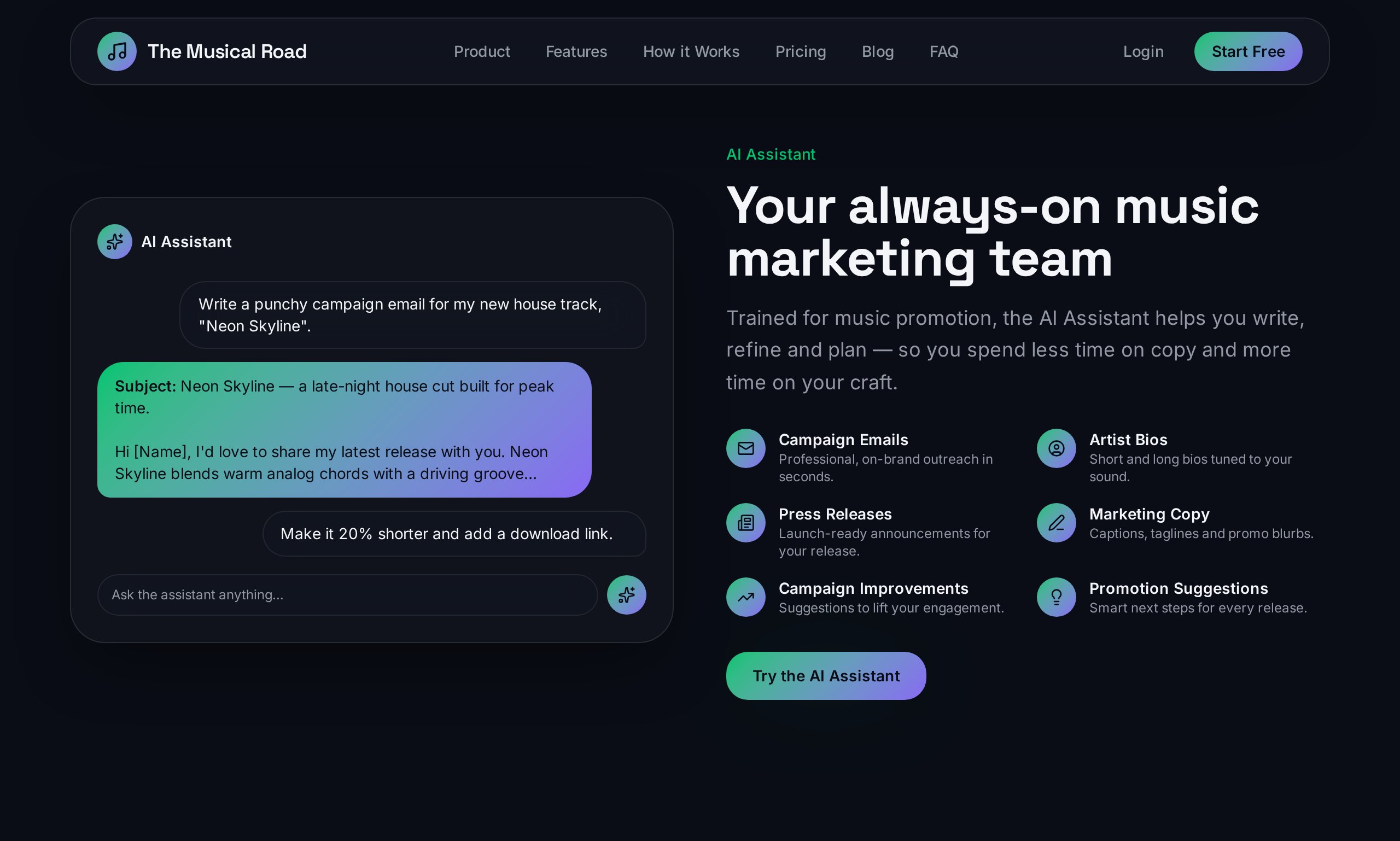
AI campaign assistant
The built-in AI drafts on-brand promo emails and picks the right audience so you can launch in minutes.
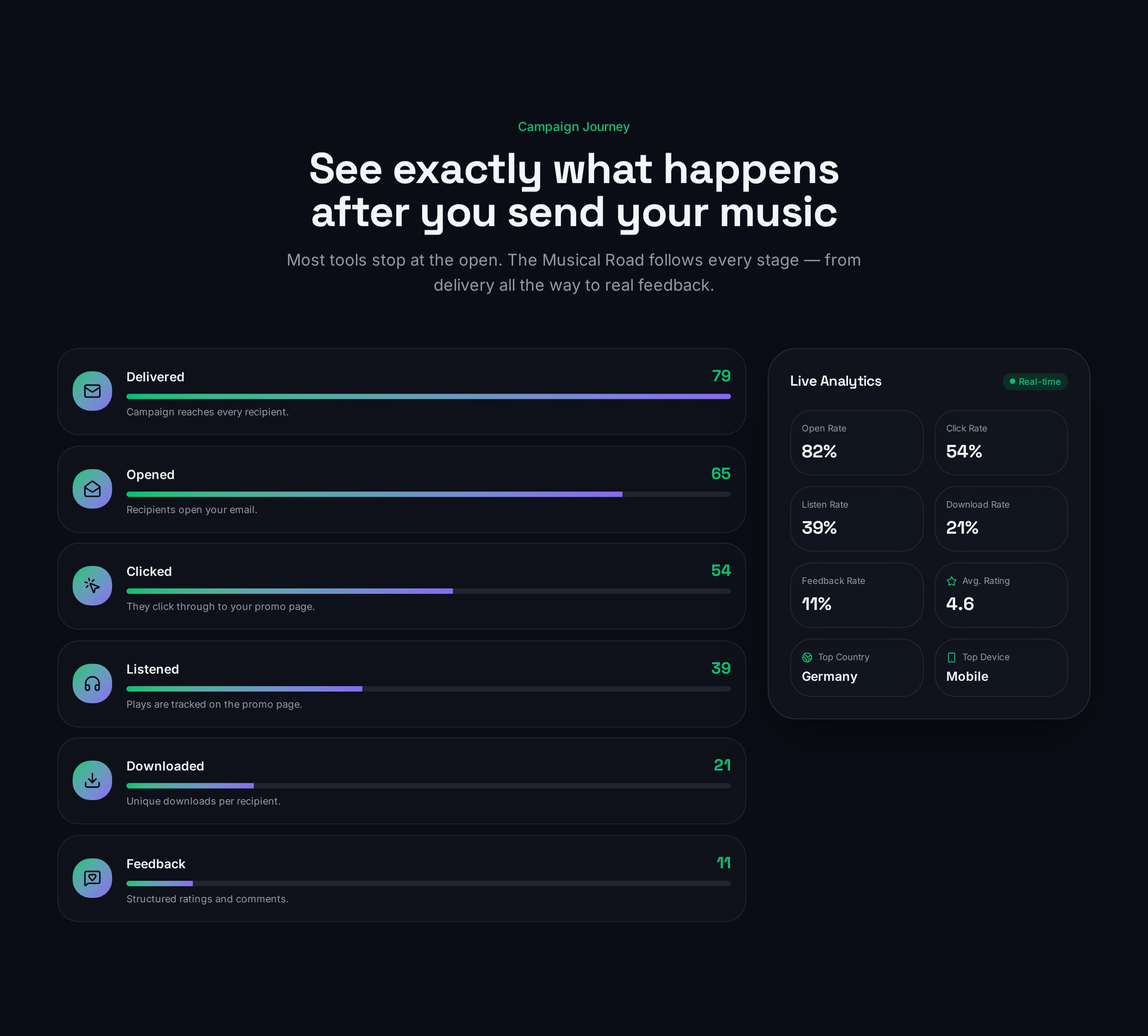
Campaign journey
Follow each recipient's journey from delivered to opened, listened and downloaded — the full promotion funnel.
Frequently asked questions
- What is the best subject line for a DJ promo email?
A high-conversion subject line should be functional rather than hypey. Use the format: PROMO: [Artist Name] - [Track Title] ([Genre]). This allows DJs to quickly identify the style and artist before opening the message.
- How do I track if a DJ has listened to or downloaded my promo?
Using The Musical Road’s Campaign Analytics, you can see per-recipient data including opens, listens, and downloads. This allows you to identify which DJs are engaging with your music in real time.
- Should I send a direct download link or a promo page?
A professional promo page is preferred as it provides artwork, metadata, and a player in one place. The Musical Road generates smart links and branded promo pages that allow DJs to preview the track before committing to a download.
- How can I find the right DJs to send my promo to?
Instead of manual searching, you can use The Musical Road’s Global Music Network. The AI ranks verified DJs and curators based on how well they match your specific genre and release style.
- Is there a way to automate personalized DJ outreach?
Yes. The Musical Road’s AI Campaign Generator drafts on-brand emails and auto-selects the best-fit audience from a verified network, allowing you to send personalized campaigns without manual data entry.
Explore more
Ready to send your next promo?
Upload your release and use our AI to find the perfect DJ audience in minutes.
Start free