Professional Copyright Strings in One Click
Don't guess your metadata formatting. Generate the exact © and ℗ strings needed for DSPs, vinyl credits, and digital release management.
Generate Your Copyright Strings
Enter your details below to generate formatted copyright and phonogram strings.
• ℗ 2024 Roadside Records
Why it matters
DSP Compliant
Formatted specifically to meet the strict metadata requirements of major streaming platforms.
Time Saver
Stop searching for special characters or Alt-codes. Just type and copy.
Legal Clarity
Clearly distinguish between the composition rights and the sound recording rights.
Why Metadata Accuracy Matters
When you upload music to platforms like Spotify or Apple Music, your copyright (©) and phonogram (℗) symbols aren't just for show—they define legal ownership and the year of publication. Incorrectly formatted strings can lead to distribution delays or metadata errors in the Global Music Network. This tool ensures you get the spacing, symbols, and year exactly right for professional distribution.
Standardized © (Copyright) for composition and art.
Standardized ℗ (Phonogram) for the sound recording.
Formatted for immediate copy-paste into The Musical Road release planner.
Avoids common character encoding errors on DSPs.
Mastering Copyright Metadata for Professional Distribution
Understanding the distinction between the two copyright symbols is critical for independent artists managing their own releases. The © (Copyright) symbol refers to the underlying composition—the lyrics and melody—while the ℗ (Phonogram) symbol refers specifically to the sound recording or the 'master.' When you use our generator, you are ensuring that your metadata aligns with the standards required by major DSPs like Spotify and Apple Music.
Best Practices for Metadata Formatting
- The © String: Usually assigned to the songwriter or the publishing entity. Example:
© 2024 Independent Artist Name. - The ℗ String: Assigned to the owner of the master recording, which is often the record label or the artist if they are self-released. Example:
℗ 2024 Independent Label Records. - Consistency is Key: Ensure the names used in these strings match the 'Label' field in your distribution metadata to avoid flagging during the ingestion process.
Moving from Metadata to Promotion
Once your copyright strings are generated and your metadata is locked, the next step is leveraging that data for visibility. In the Release Management dashboard on The Musical Road, these details are automatically formatted into your smart links and promo assets.
Accurate ℗ data is particularly important when using our Global Music Network. Verified DJs and radio programmers look for professional metadata as a sign of a high-quality, legitimate release. After your metadata is set, you can use our AI Campaign Generator to draft outreach emails that include these professional credits, ensuring your brand looks established when your music hits the inbox of a major curator or blog editor.
Key features
Dual Symbol Output
Generates both the C and P symbols simultaneously for full coverage.
Batch Ready
Quickly swap years or owner names for entire catalogs.
How to Use the Copyright Generator
- Enter the Year: Use the year of first publication (usually the current year for new releases).
- Enter the Owner: This is typically your name or your record label's name.
- Copy the Result: Use the © string for your artwork and composition credits, and the ℗ string for your sound recording metadata.
Having professional metadata is the first step in a successful promotion strategy. Once your metadata is locked, you can use The Musical Road to generate AI-driven promo emails and reach our global network of verified DJs and curators.
Use cases
Independent Artists
Ensuring your self-released singles have professional metadata that matches major label standards.
Boutique Labels
Quickly generating consistent copyright strings for entire rosters during the release management process.
See it in action
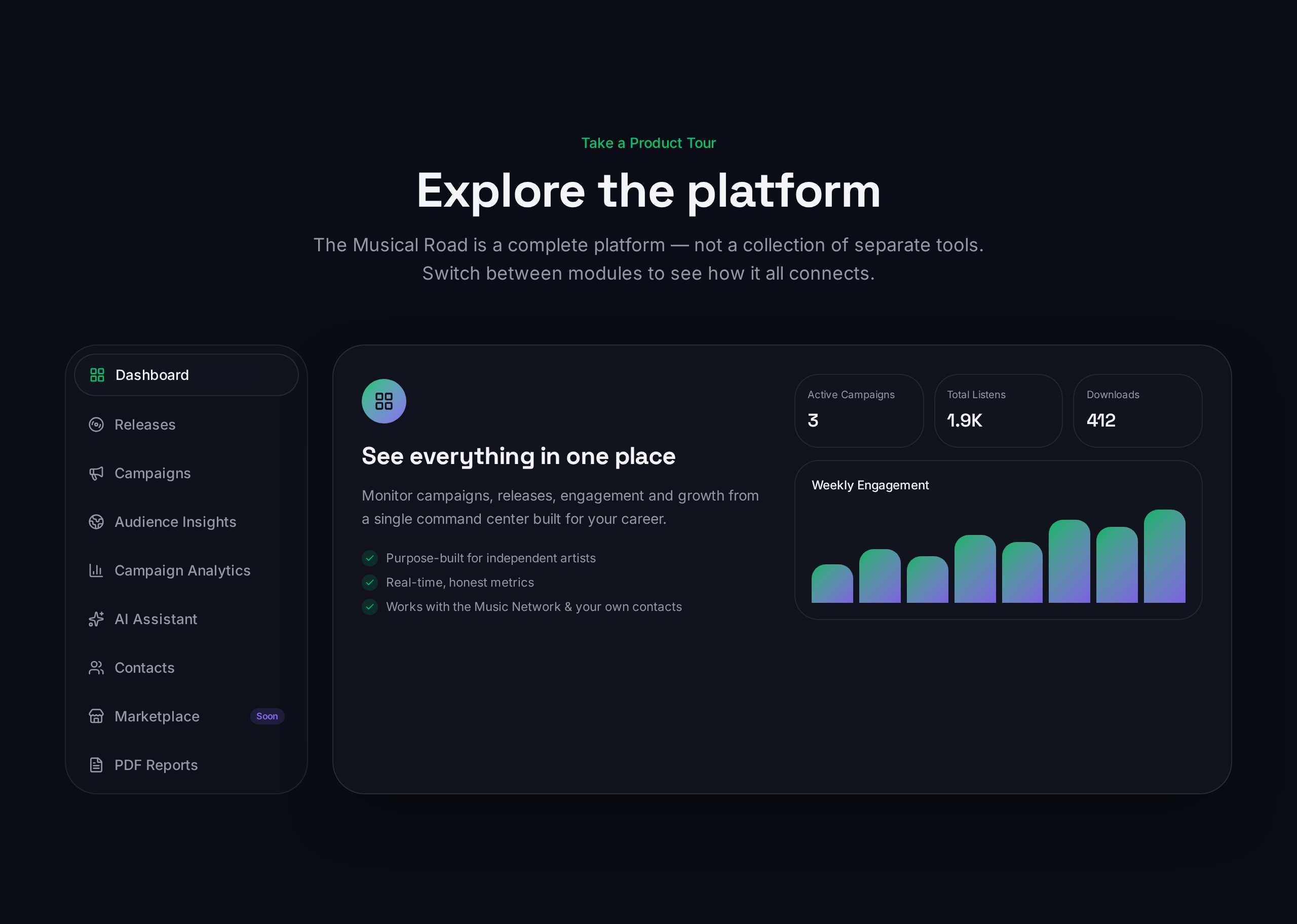
Release Command Center
Once you've generated your copyright strings, paste them directly into your Release Management dashboard.
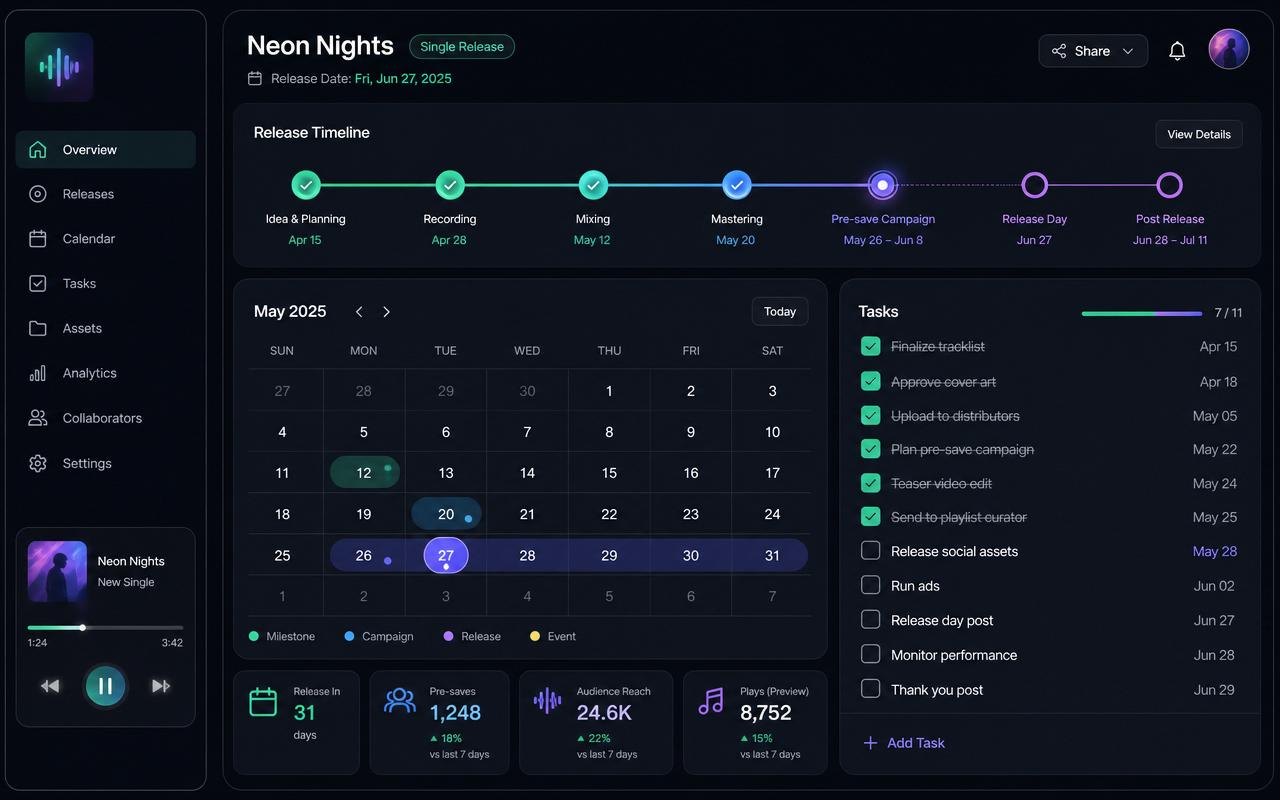
Plan Your Rollout
Organize your metadata alongside your release timeline to ensure a smooth launch.
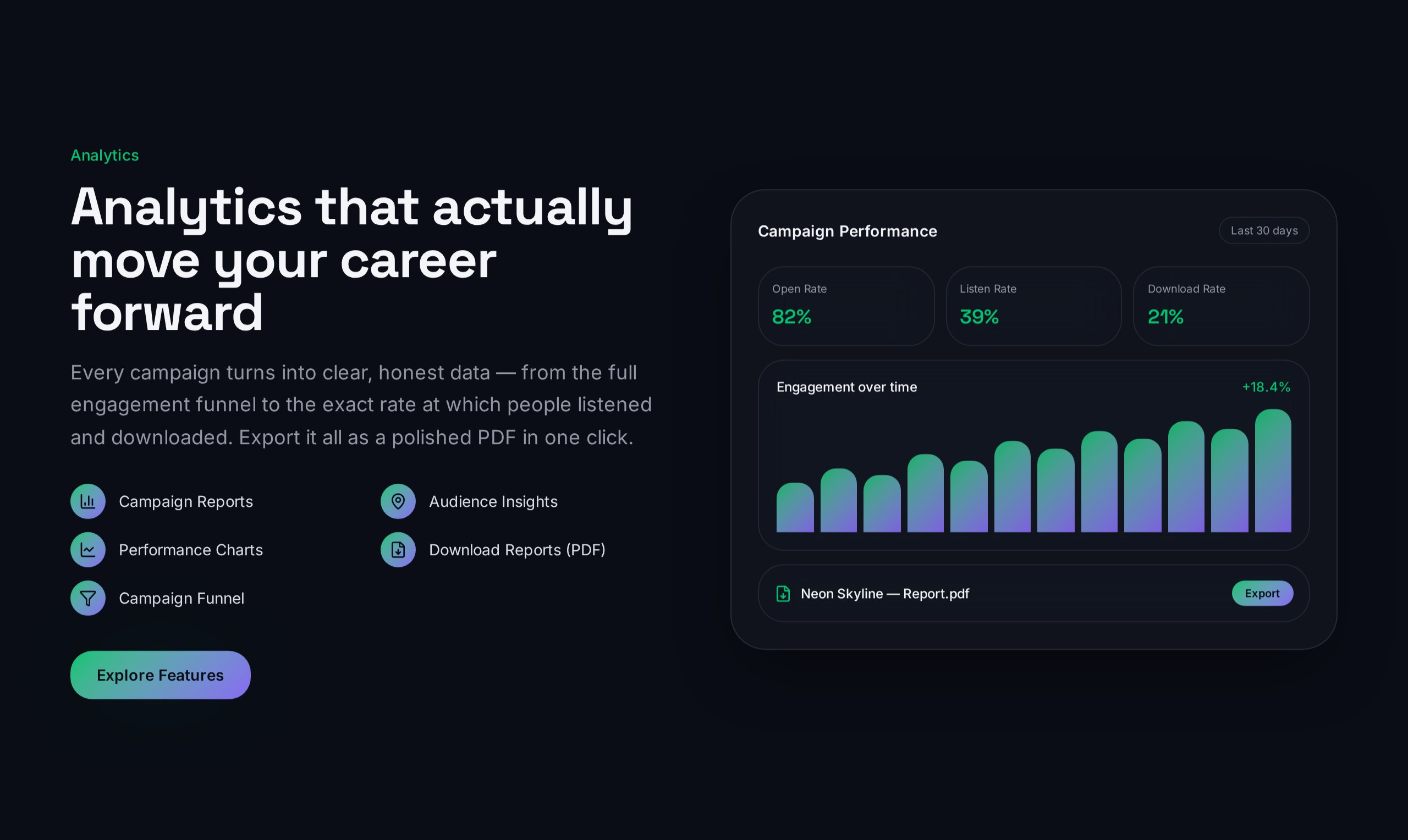
Track Your Growth
Professional metadata helps your releases perform better in our AI-driven promo campaigns.
Frequently asked questions
- What is the difference between © and ℗?
The © symbol refers to the copyright in the underlying composition (lyrics and music) or artwork. The ℗ symbol stands for 'phonogram' and refers specifically to the copyright of the sound recording itself.
- Which year should I use?
Typically, you use the year the work was first published or released. If you recorded in 2023 but are releasing in 2024, use 2024 for the release metadata.
Explore more
Ready to launch your next hit?
Manage your metadata, generate promo videos, and reach verified DJs all in one place.
Upload Your First Release